
Overview
In many organizations, employee workflows — from attendance tracking to internal requests and communication — are spread across multiple tools and processes.
This creates fragmented experiences that make it harder for employees to access information and navigate their daily work efficiently.
To address this, we designed Humble — an internal HRM system that brings these workflows into one unified experience.
Problem Statement
"Employees and managers lack a unified, self-service system that
gives them real-time access to HR information and clear workflows for everyday requests — forcing HR teams to act as manual intermediaries for tasks that should require zero intervention."
Understanding employee workflows
To better understand the challenges employees face in their daily work, we spoke with team members from different departments including developers, designers, HR staff, and remote employees.
Our goal was to understand:
How they take attendance and keep track of work each day
How employees access internal information
How they manage the tasks & projects they are involved in, work with teammates
How they connect and engage with announcements and company events
Try to play the role
of an employee
I often forget to check in or log my timesheet, and by the time I remember, it's usually too late.
Every time I need to find a document, I have to ask someone else because I don't know where to look.
There are too many tasks, and I don't know which ones should be prioritised.
I don't know who is on leave and who the remote team members are.
Apart from work, I rarely interact with others in the company.
Every time I need to claim expenses or go on a business trip, sending an email to get money quite a hassle.
“We don’t struggle because of lack of tools —
they struggle because their workflows are fragmented across too many places.”

Employees struggle to manage daily work due to fragmented systems and limited visibility.
Check-in, timesheets, and task tracking are inconsistent, making it difficult to maintain progress and accountability.
Accessing internal documents, understanding project responsibilities, and getting timely support from HR remain challenging.
At the same time, employees lack visibility into team availability, organizational structure, and overall company activities.
Without a centralized platform, both productivity and employee experience are affected — from daily operations to collaboration, engagement, and financial transparency.
Key gaps
Leave and requests are processed across multiple channels
→ Difficult to track, leading to confusion and missing records
Opportunity areas for Humble
Operational Efficiency
Enable HR self-service workflows
Many administrative tasks can be handled without HR involvement
→ Reduces operational load and empowers employees to act independently
Standardize request and approval flows
Requests such as leave or expenses are currently fragmented across channels
→ A structured system improves traceability, reduces errors, and ensures accountability
Visibility & Transparency
Improve visibility into work and progress
Employees and managers lack a clear view of tasks, responsibilities, and status
→ Better visibility supports prioritization and alignment across teams
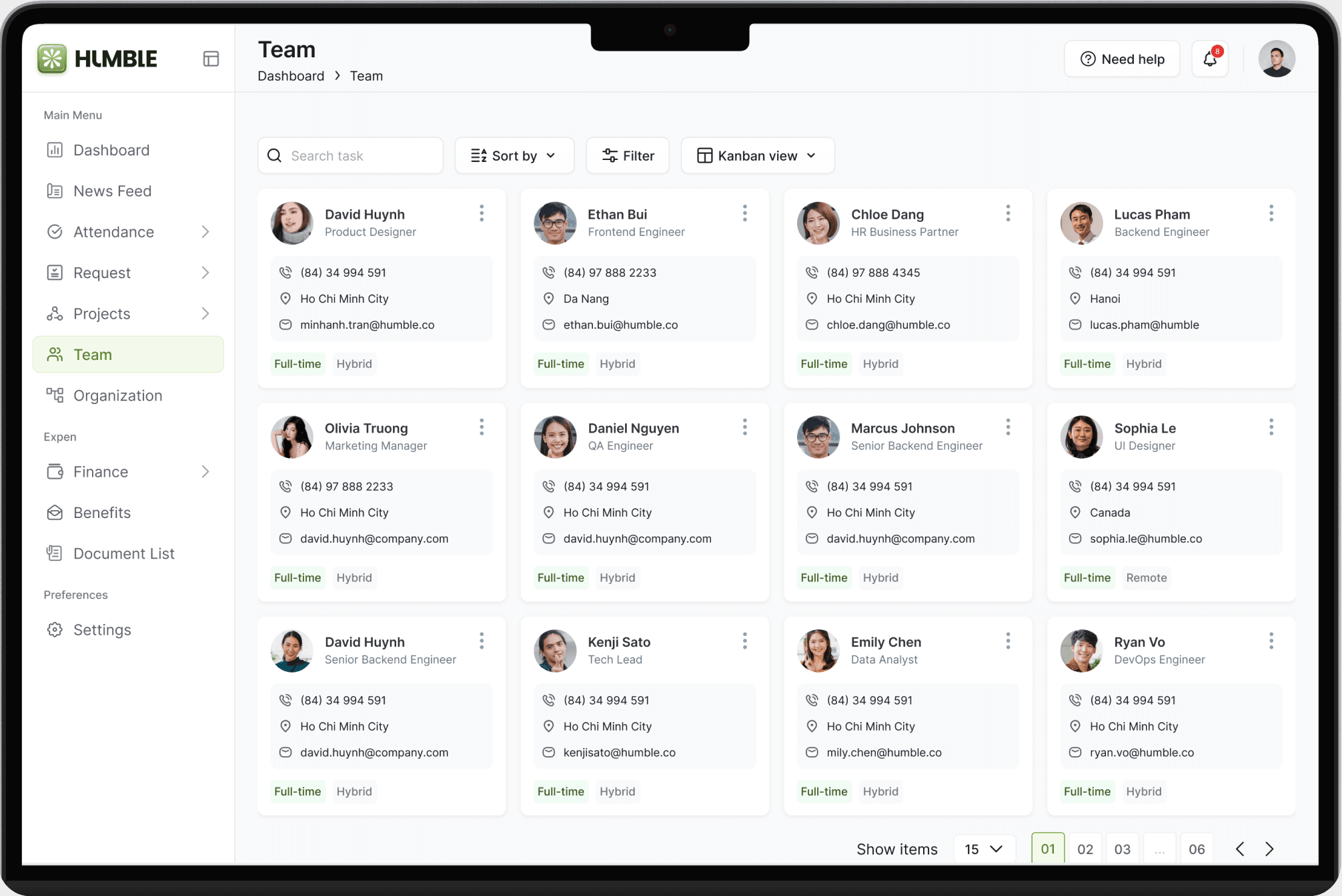
Make team structure and availability visible
Employees need to understand who is available, their roles, and how teams are structured
→ Enhances coordination, collaboration, and team efficiency
Employee Experience
Centralized access to company knowledge
Employees need a single source of truth to quickly find policies, documents, and internal resources
→ Reduces dependency, speeds up workflows, and improves decision-making
Support a connected remote experience
Remote employees lack visibility and interaction within the organization
→ Improving access and communication helps increase engagement and belonging
Product strategy
To address these opportunities, the HRM system was designed around three strategic pillars.
Enable employee autonomy
Shift from HR-dependent processes to self-service experiences
Unify fragmented workflows
Bring core employee activities into a single, consistent system
Increase organizational visibility
Make work progress, team availability, and structure transpar
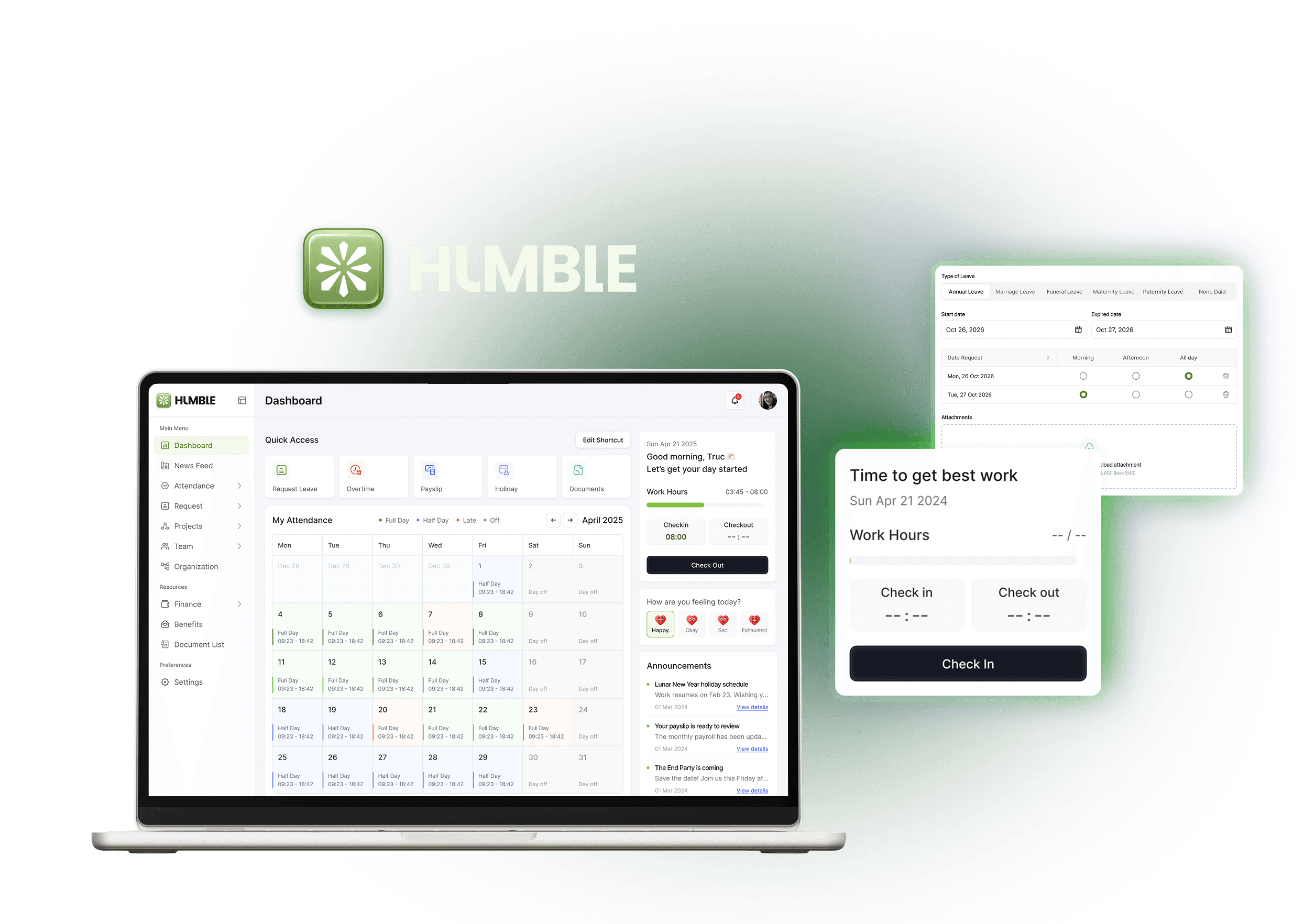
✨What's
HUMBLE
HR Staff
Wants to get in, do the task, and get back to work without friction.
Manage HR essentials centrally
Respond to requests faster
Reduce routine admin work
The Manager
Overwhelmed by administrative tasks and repetitive questions.
View team availability
Monitor work progress
Understand team needs
The Employee
Needs visibility into team capacity to plan work effectively.
Check-in, log hours easily
Submit leave & requests
Access company resources
we focus on
”the employee”
Understanding key user roles
While HR and managers play an important role, this case study focuses on improving the employee experience — employees represent the highest-frequency users — making their experience critical to the overall success of the system.
Warm Welcome
Onboarding is designed as a guided journey, not a one-time task — helping users progressively complete setup while maintaining a sense of progress and control.
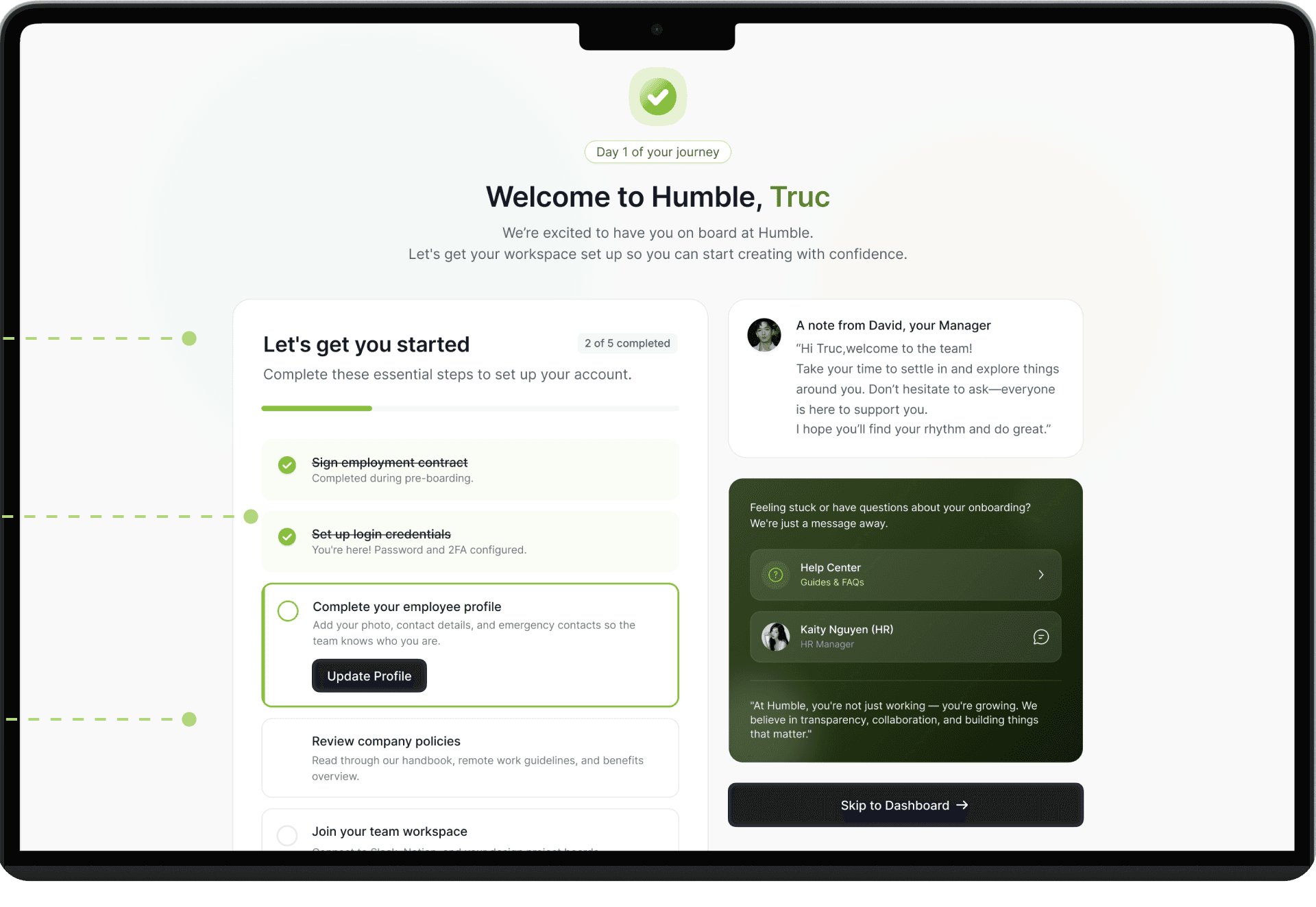
Personalizing the first interaction
Immediate sense of belonging
and human connection
Uses warm copy, friendly visuals, smoth tone.
Reduce anxiety, especially for new or remote employees.
Allowing user controll
Respects different employee's
onboarding behaviors.
Turning onboarding into a guided journey
Uses a step-based checklist
with progress tracking
Immediate feeling of accomplishment
Helps create a sense of
super right from the start
Clear CTA
to catch attention
Highlights the
most important task
Transforms the dashboard into a real-time control center that guides priorities and enables a focused start to the workday.
The dashboard acts as a daily control center
Designing a clear starting point for the workday
For most employees, the dashboard is the first screen they see after logging into Humble. They often start their day by: checking attendance and schedules, reviewing pending approvals, accessing frequently used HR tools
How might we
1
How might we surface the most critical daily actions in one place to reduce context switching?
2
How might we streamline routine tasks (e.g. leave requests, approvals) into quick, accessible actions?
3
How might we provide real-time visibility into work status, schedules, and team activities?
Rather than serving only as a navigation page, the dashboard was designed to give employees a quick overview of their workday and guide them toward the most important actions.
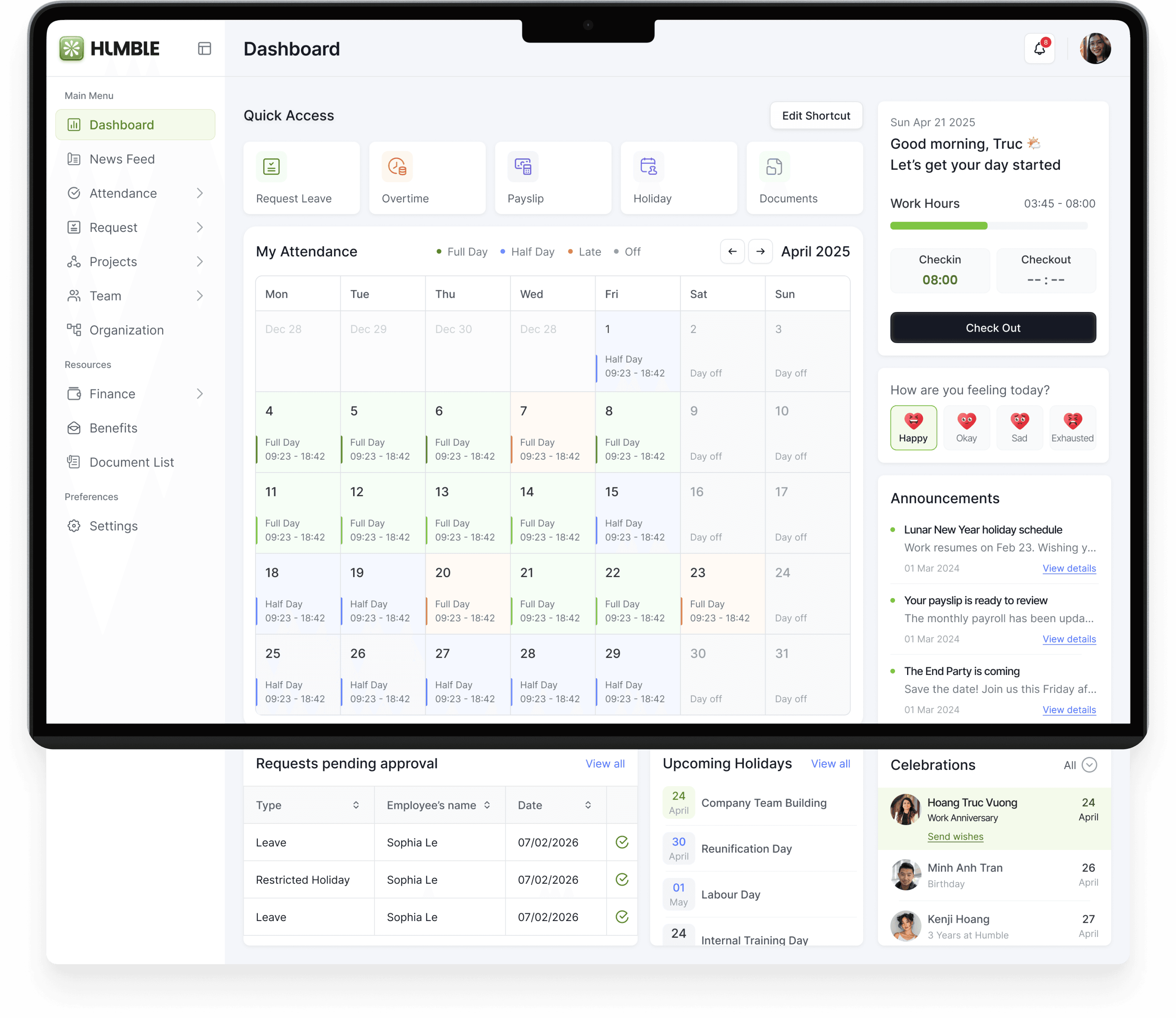
Make status scannable
Uses visual cues
instead of dense data
Enables managers
to Quick approvals
Speeds up
decision-making
Overview attendance
Help drivers anticipate changes early, especially on cross-border trips.
Surface key actions upfront
Truy cập nhanh chóng
nhưng công cụ thường dùng
Allow user controll
Support emotional
Instead of raw data, drivers get clear next actions.
Visualizes progress check-in/out actions
Quick awareness and timely actions
Grouping actions in one place
Keeps the main screen focused, while still allowing quick access
Transforms onboarding from a passive setup process
→ into a guided, human-centered experience that builds confidence and connection from day one.
The community feed
Keeping Employees Informed and Connected
Employees also need a space to stay connected with the company and colleagues. This space can be used for:
1
Keeping track of important company announcements and updates
2
Sharing posts, photos, or team activities
3
Interacting with colleagues through comments and feedback
4
Building a More Connected Workplace
be friend
with my boss
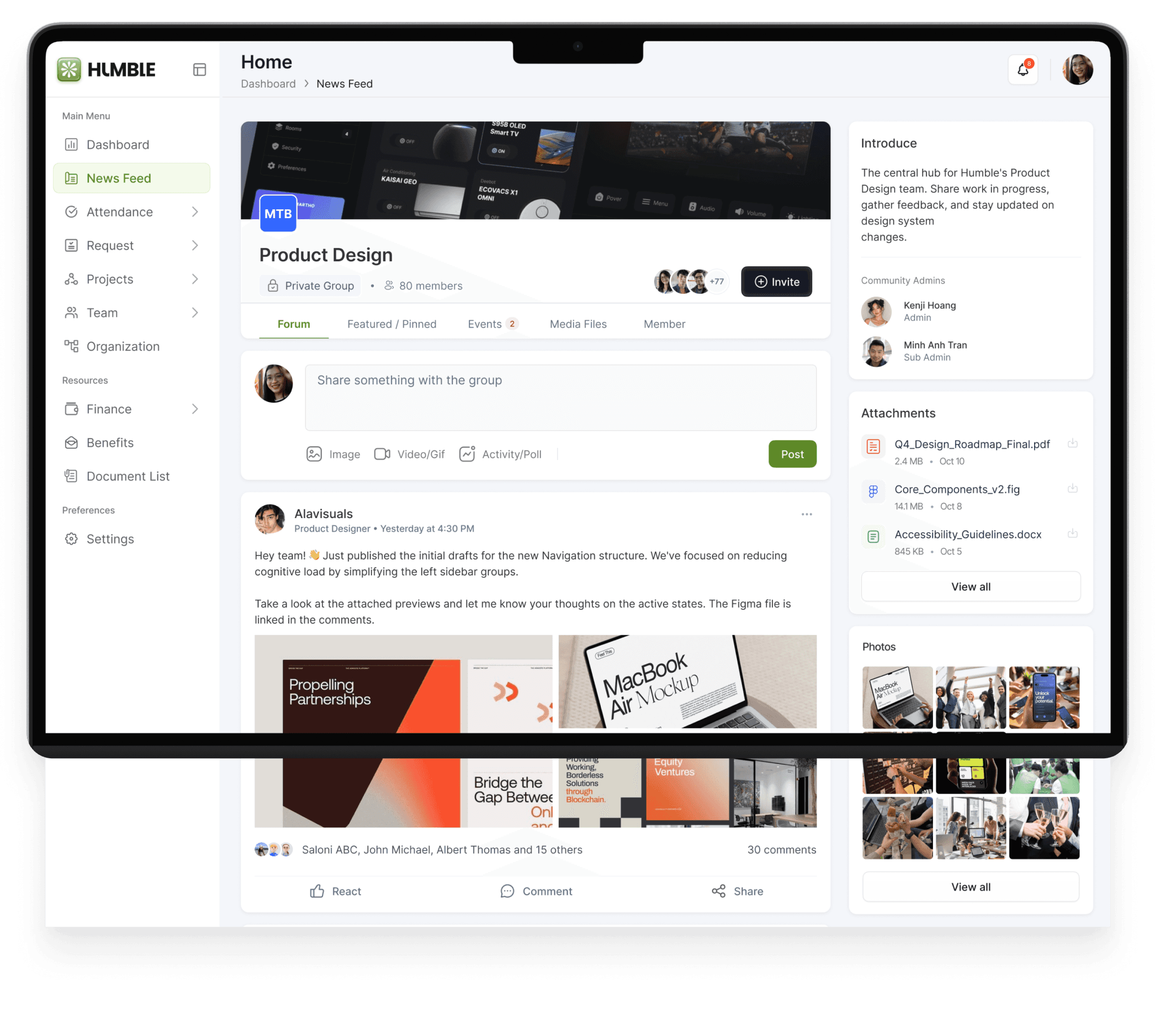
Social proof visibility
Highlight necessary point
Easily access the news
Make status scannable
Uses visual cues
instead of dense data
Lightweight interactions
→ Familiar actions, easy to interact
Action prioritization clarity
Clear group context
Group info + members + privacy visible
Provides context and trust
Right panel surfaces relevant info (admins, attachments, photos)
Supports quick reference instead of deep searching
Right panel surfaces relevant info (admins, attachments, photos)
Supports quick reference instead of deep searching
Familiar social pattern
Supports quick reference instead of deep searching
Attendance tracking
Making daily attendance transparent
The My Attendance section provides a clear overview of check-in, check-out, and working hours, helping employees easily track their daily attendance history.
Instead of relying on HR to verify records, employees can quickly review their work hours, attendance status, and overtime directly within the system.

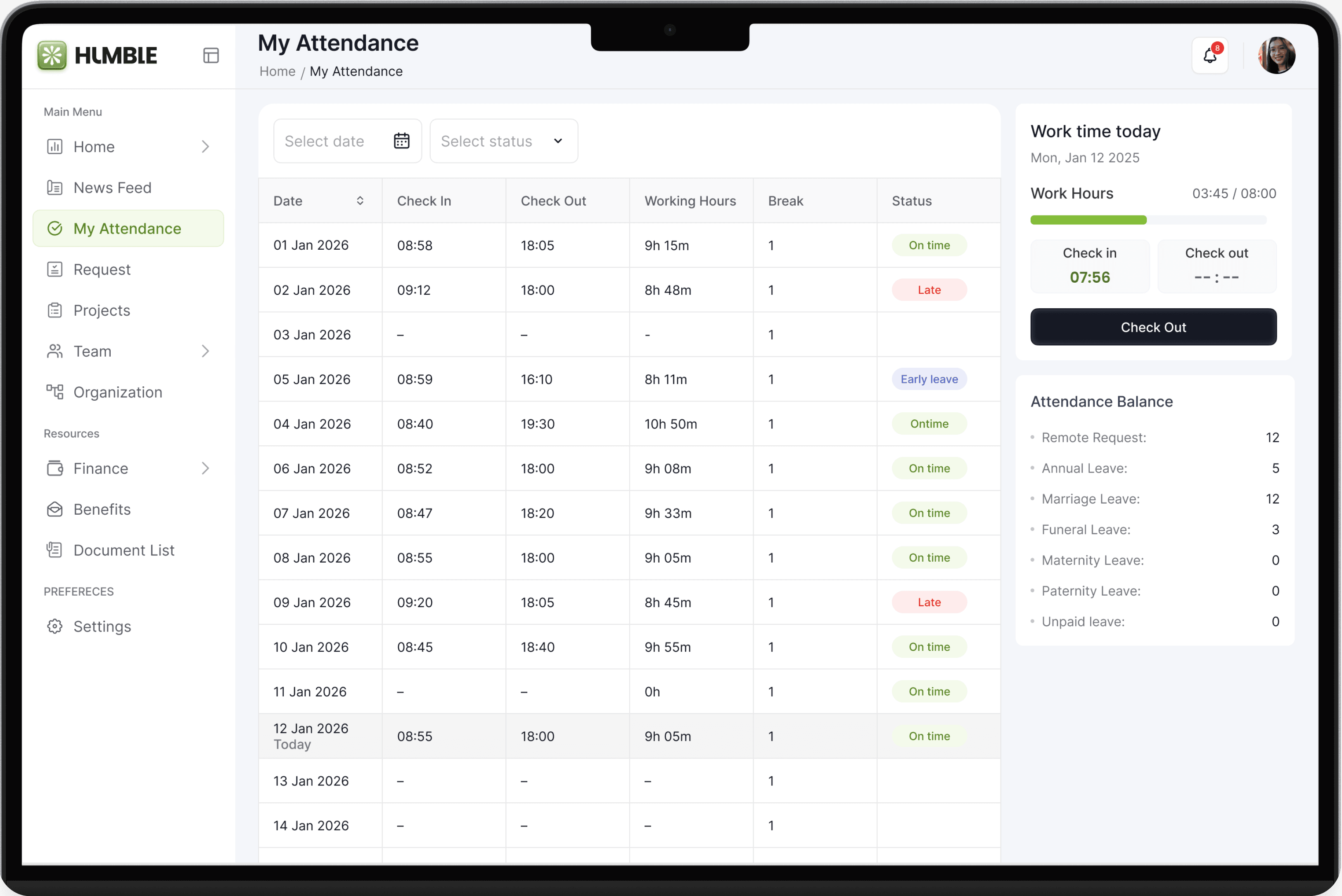
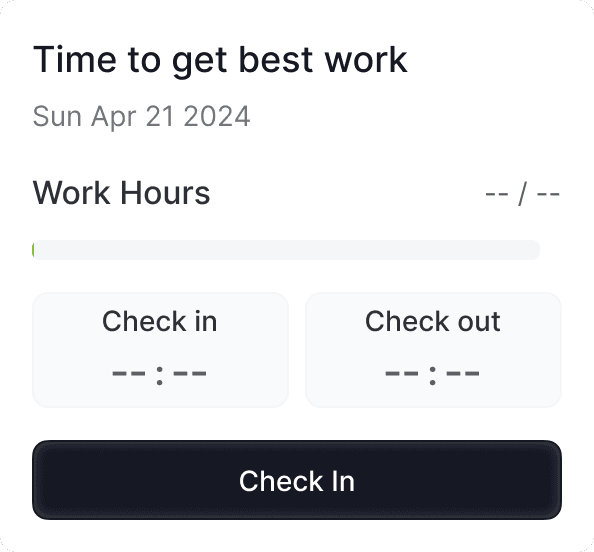
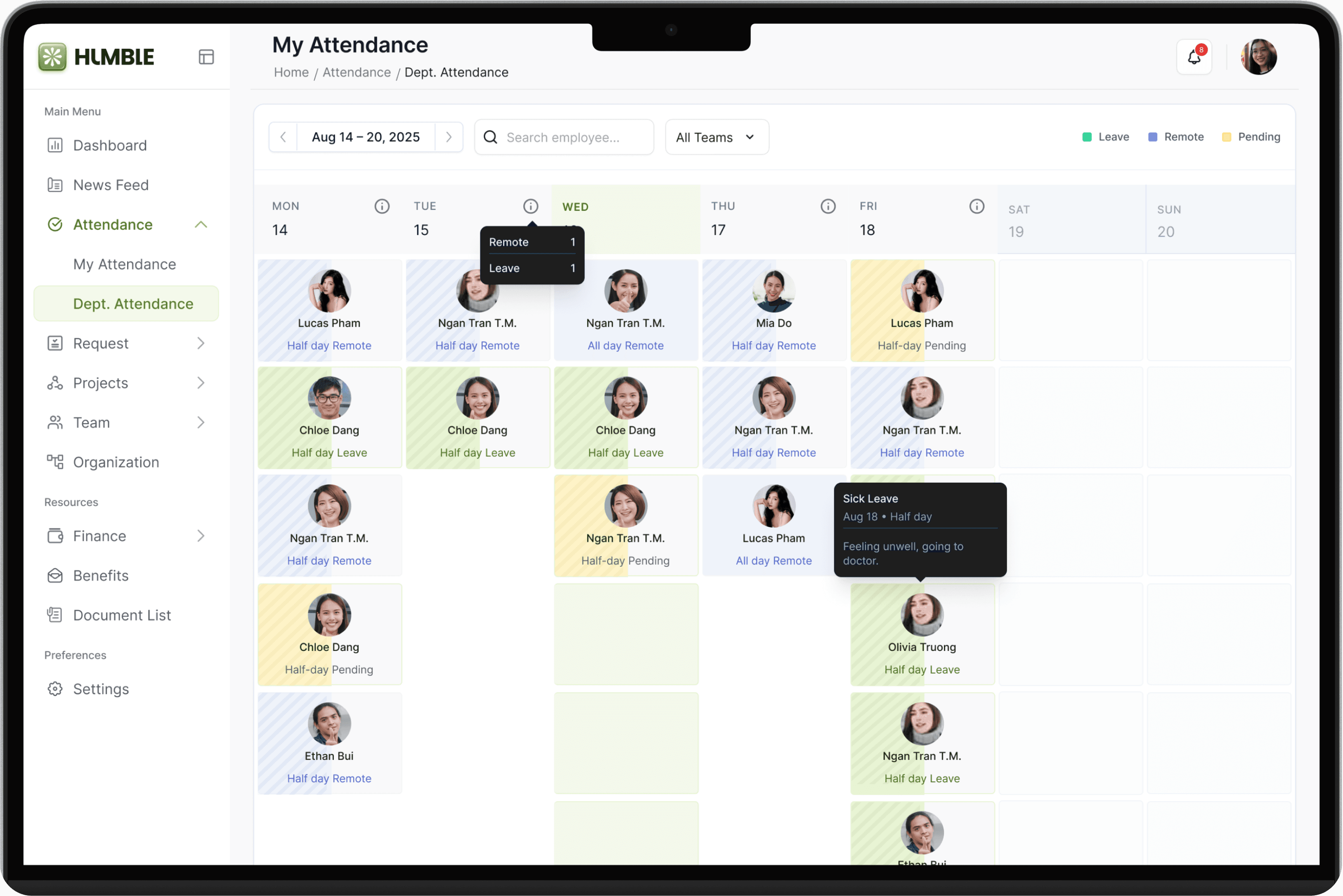
Transforms attendance tracking from a record-checking task → into a transparent, self-service experience that helps employees review status, take action quickly, and stay in control of their workday.

Leave & request management
Simplifying HR and Manager requests
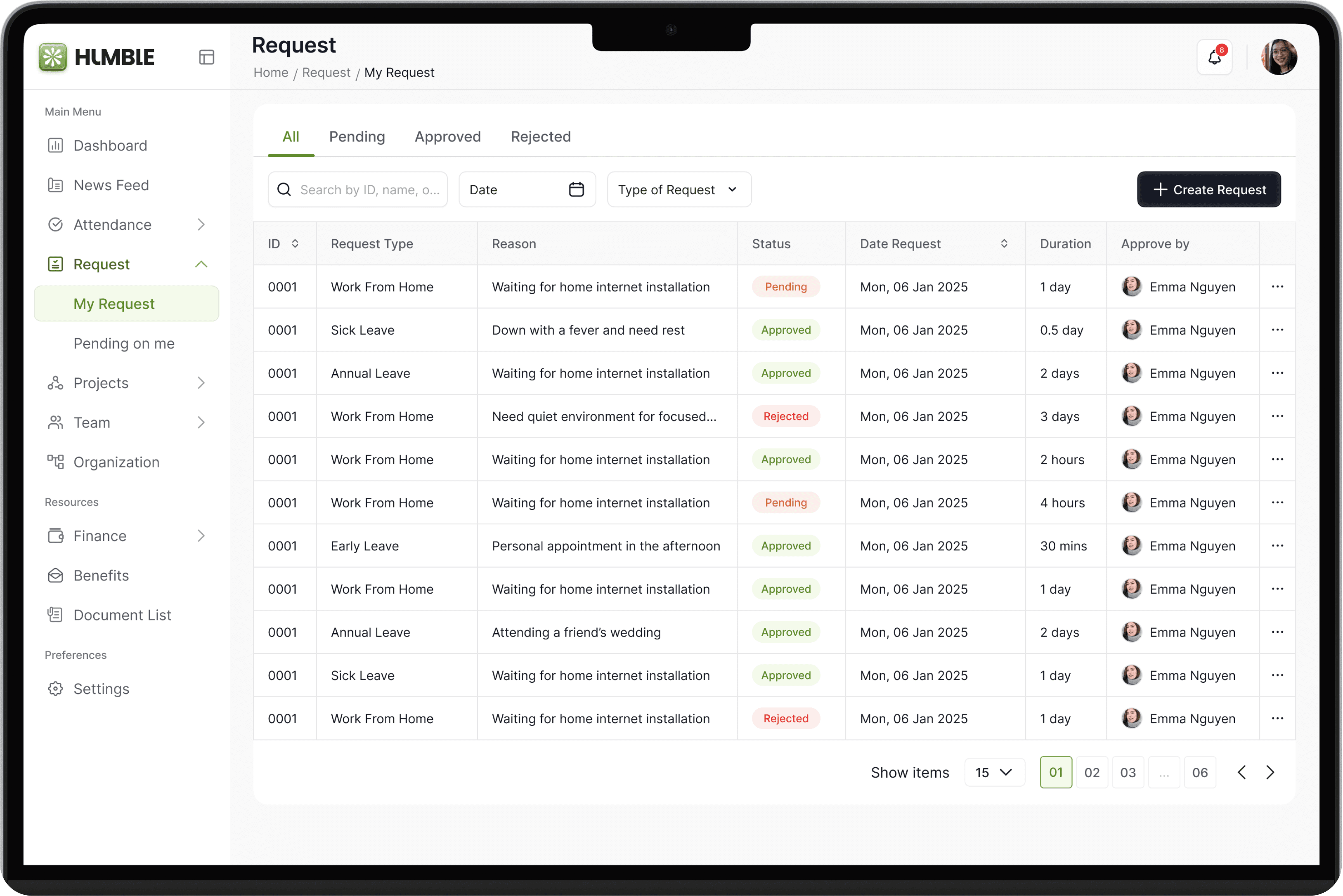
Employees often handle requests such as leave or administrative approvals through chat messages or emails, making them difficult to track.
The Request feature centralizes these processes, allowing employees to submit requests, attach documents, and track their request status in one place — creating a more transparent and structured workflow between employees and HR.
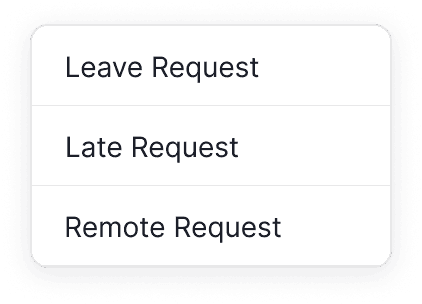
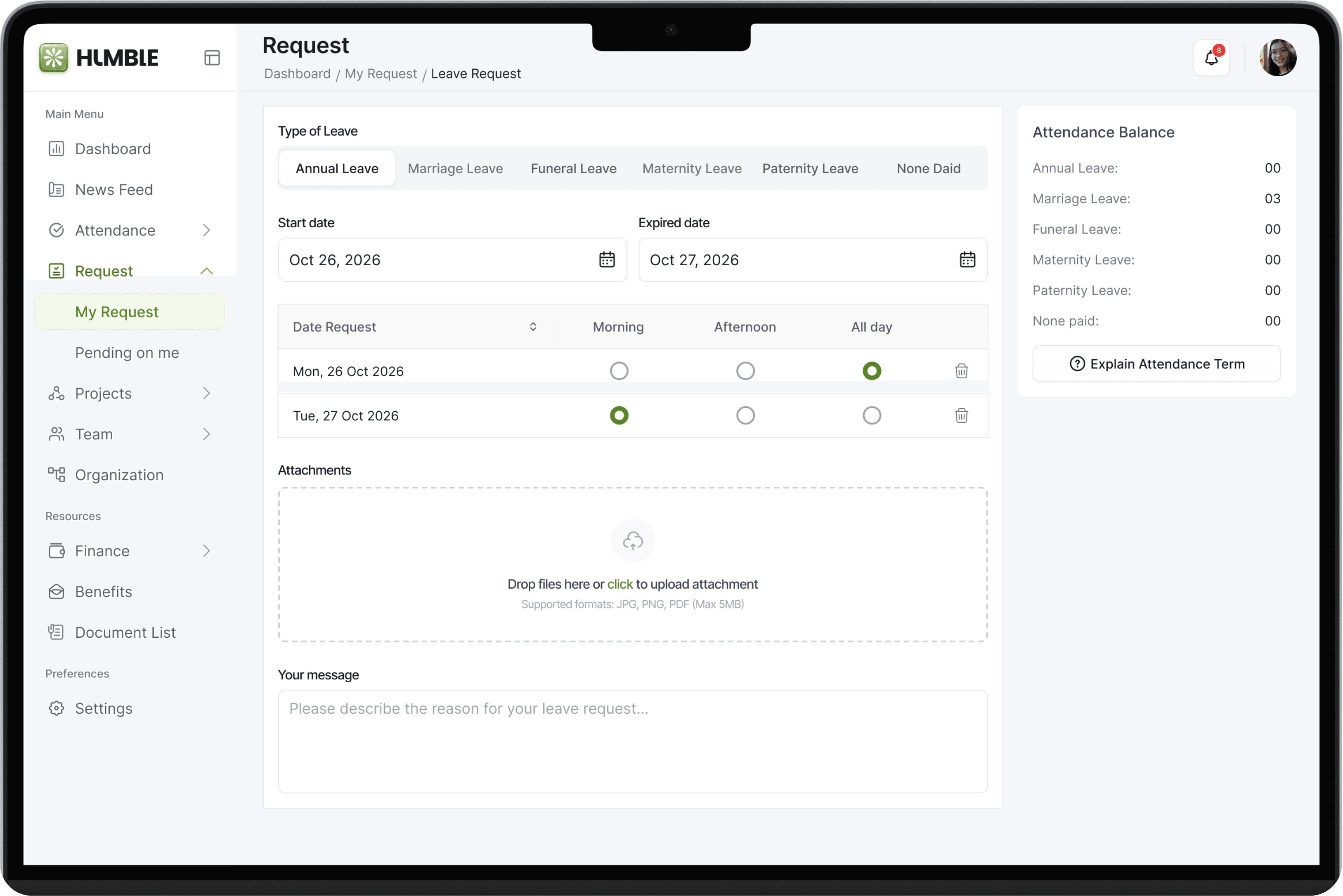
Clear status segmentation
quickly filter by intent
Simple options visible
Easy to understand and choose
Clear step-by-step structure
Easy to follow cause the mental model that user typically follow
Shows remaining leave quota
make informed decisions about the off days left
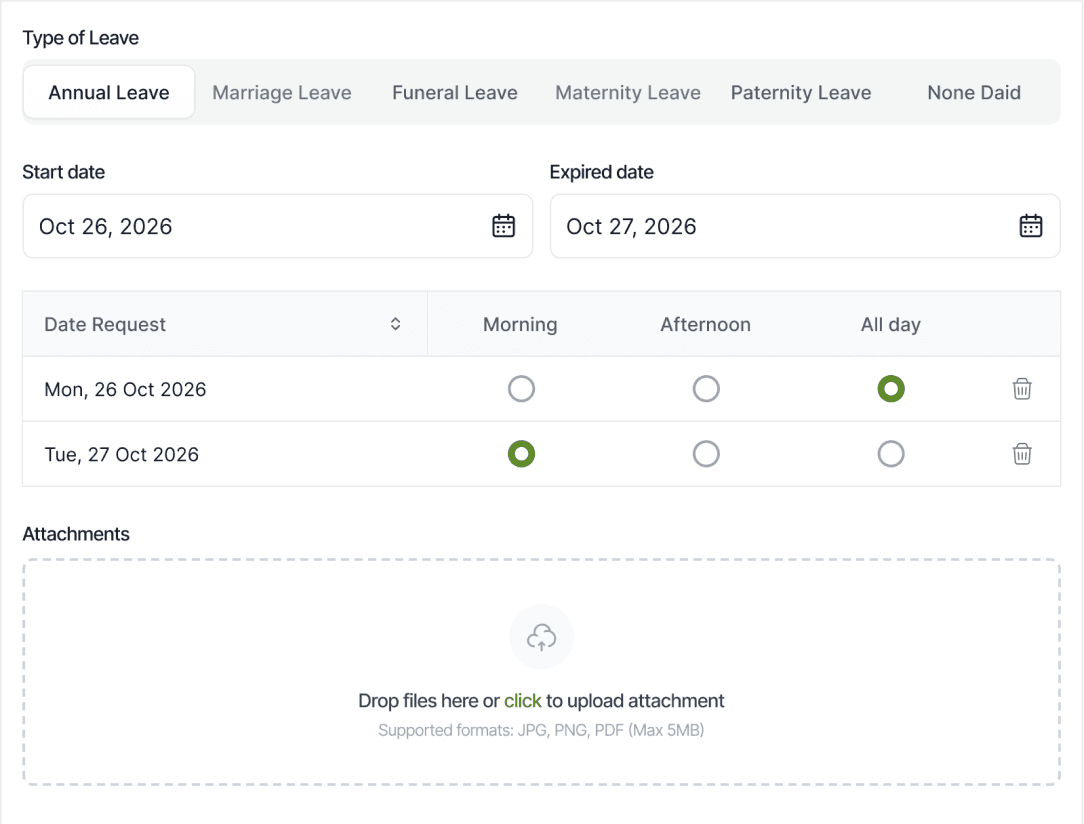
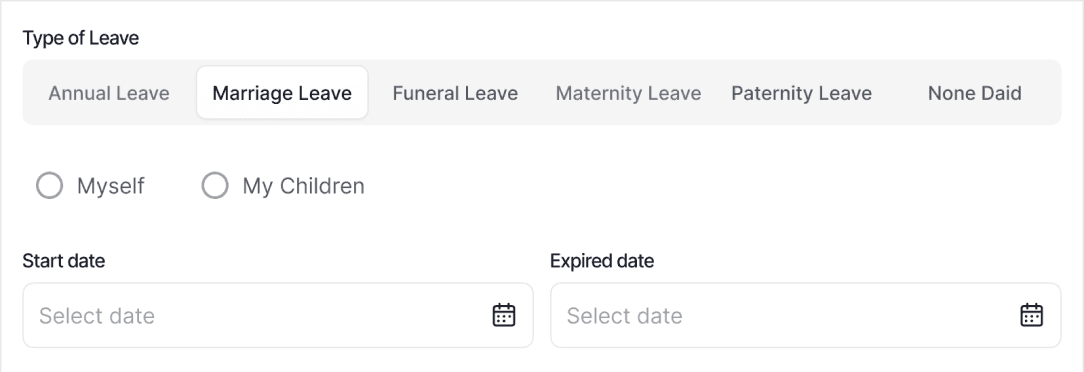
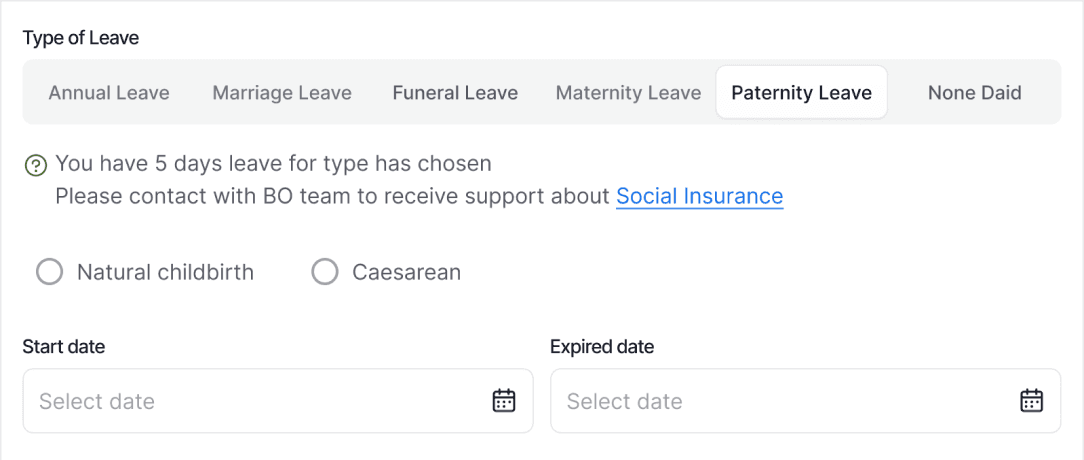
Flexible leave configuration
Per-day breakdown with Morning / Afternoon / Full day
→ Flexible for real scheduling
Policy guidance integrated
Inline message
→ Helps users understand constraints
Attendance tracking
Transforms fragmented work tools into a unified system → where project visibility, time tracking, and workload insights are seamlessly connected, enabling more efficient workflows and better decision-making.

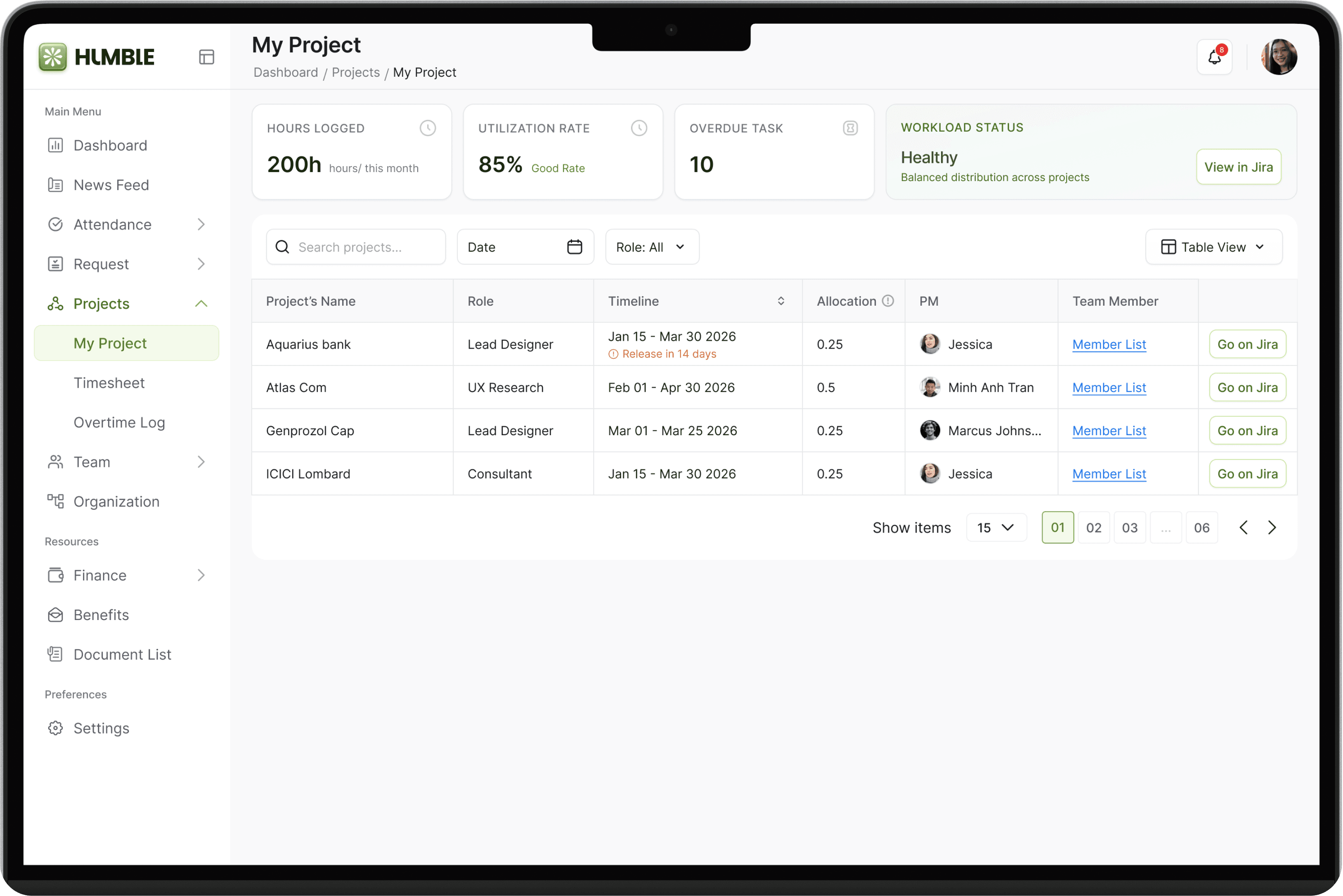
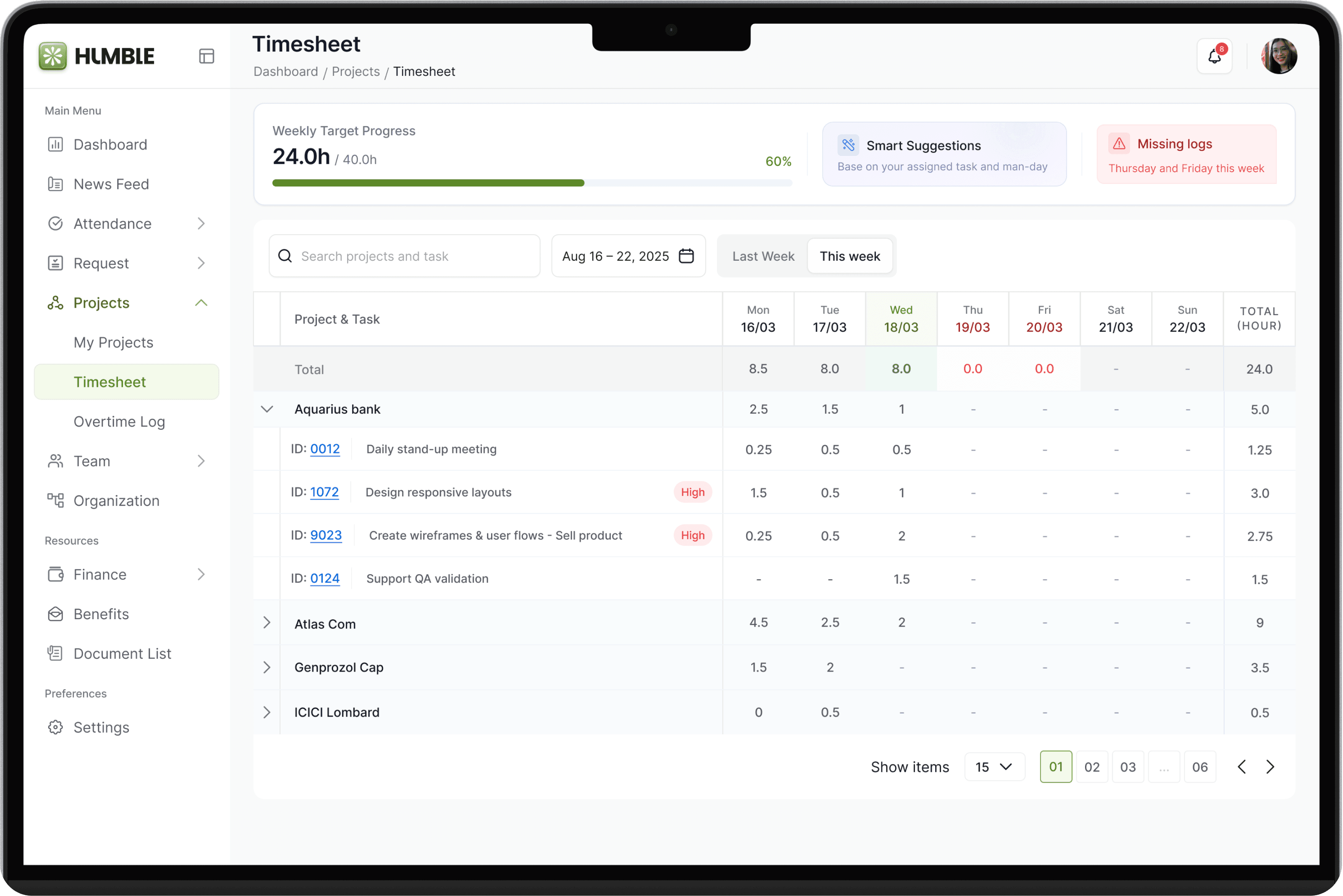
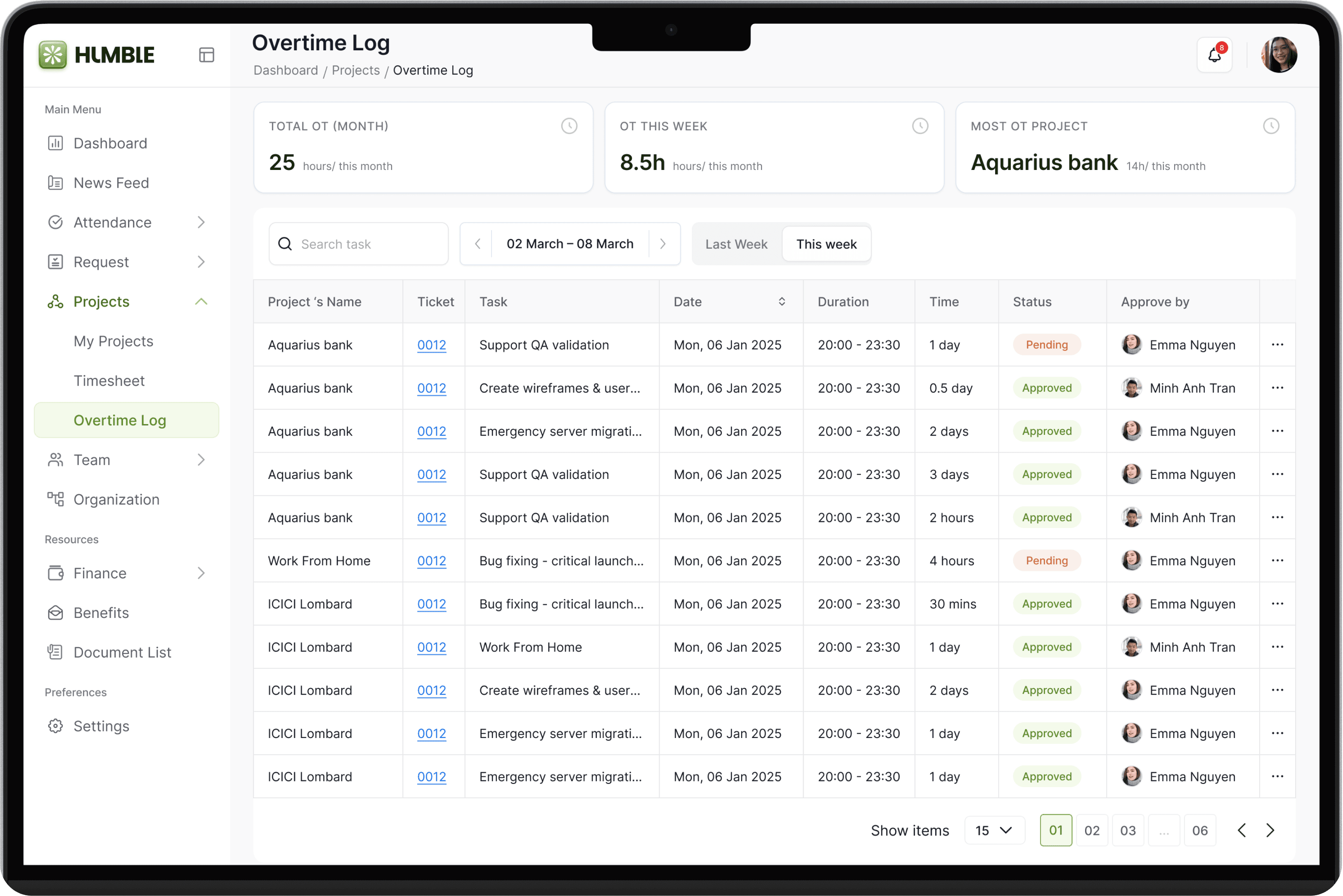
Humble unifies project management, time tracking, and overtime insights into a single experience, helping employees track progress, manage workload, and stay aligned without switching between tools.
Organization visibility
Understanding the company structure
The Organization view helps employees quickly understand the company structure and how teams are connected.
Instead of searching through documents or asking colleagues, employees can easily explore the organizational tree, see reporting relationships, and access profile details of team members.
This provides better visibility into who works where, who reports to whom, and how teams are structured, making collaboration and communication easier across the organization.
Familiar social pattern
Supports quick reference instead of deep searching
By making the organization structure easier to explore, Humble helps employees quickly understand team connections and find the right people faster.